
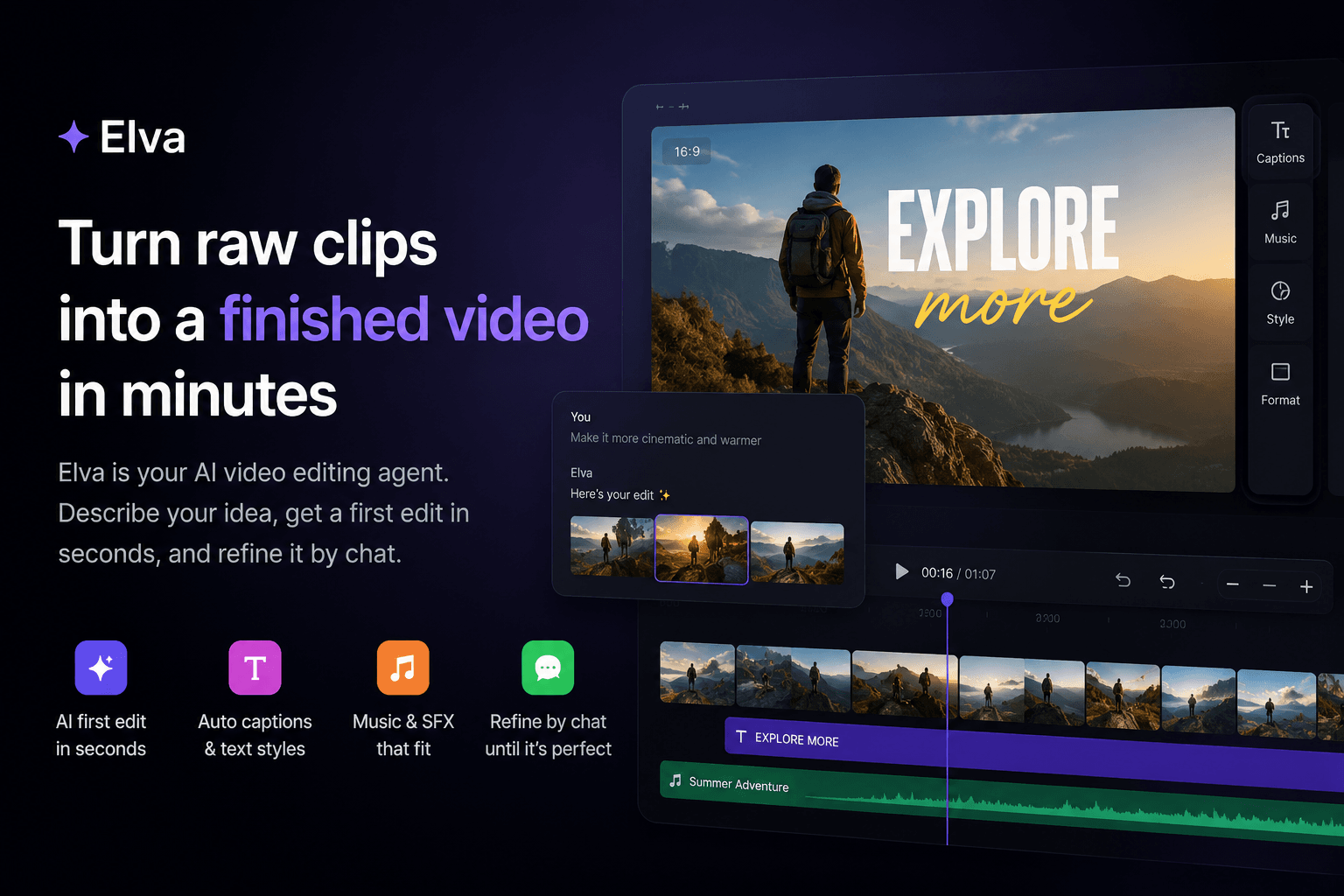
# Turn Raw Clips Into a Finished Video in Minutes
Video editing often takes much longer than the video itself. You may have already filmed everything you need, but turning dozens of raw clips into something polished still means reviewing the footage, choosing the strongest moments, arranging them into a story, trimming each clip, adding captions, finding music, and making multiple rounds of small adjustments before the video feels ready to share.
Elva is an AI video editing agent designed to make that process significantly faster. Instead of starting with an empty timeline and manually building the edit from scratch, you upload your footage and describe what you want to create. Elva analyzes the clips, creates several possible edits, and gives you a finished starting point that you can continue refining through chat.
The idea is not to remove creative control from the editing process. It is to remove much of the repetitive work that happens before you get to the decisions that actually matter.
## Start by describing the video you want
Most traditional editing tools expect you to know how you want to build the video before you start. You import the footage, organize the clips, place them on a timeline and gradually construct the final result.
With Elva, the process starts with the outcome instead.
After uploading your footage, you can describe the kind of video you want to make in natural language. The request can be simple, such as “make a short travel recap using the best moments,” or it can include more detailed instructions about the structure, length and style.
For example, you could ask Elva to create a 30-second vertical video, begin with the arrival footage, include specific moments from the middle of the trip, add captions and finish with a sunset clip. If some scenes are particularly important, you can mention them directly rather than hoping the editor will automatically understand their significance.
This is especially useful when the footage contains many similar clips. Instead of watching everything several times and manually deciding what belongs in the edit, you can explain what matters and use the first generated versions as a starting point.
## Get several edits from the same footage
There is rarely only one good way to edit a set of clips. The same footage can become a fast-paced highlight reel, a chronological story, a short social video or a slower cinematic recap depending on which moments are selected and how they are arranged.
Elva can generate multiple initial versions from the same source footage so you can compare different approaches before committing to one direction. One version might have stronger pacing, another might choose better opening shots, and another might surface a moment you had forgotten about entirely.
This makes the first stage of editing less about building and more about choosing. Instead of creating several alternatives manually, you can review the different versions and continue working from the one that feels closest to what you had in mind.
That distinction matters because editing is usually much easier once there is already something on the screen. Looking at an existing cut and deciding that the intro should be shorter or that one scene should be replaced is far simpler than making every decision from zero.
## Refine the edit through chat
The first generated version does not need to be the final video. Once you choose the edit you like best, you can continue making changes by telling Elva what you want adjusted.
You might ask to shorten the introduction, remove a specific scene, keep more footage of a particular moment, change the music, add captions or rearrange the clips chronologically. You can also give broader creative feedback, such as asking for faster pacing or a calmer overall feel.
This is useful because people often know what they dislike about an edit without necessarily knowing which technical editing operation would fix it. You may notice that the opening feels slow, for example, but you probably do not want to think about exactly how many frames should be removed from each clip. You simply want the intro to move faster.
By keeping the conversation focused on the result rather than the mechanics of the editing software, Elva reduces the amount of technical work required to make relatively simple creative changes.
## Keep important scenes in the final video
AI can identify visually strong moments, but the most important clip is not always the most visually dramatic one. A short shot of a birthday cake, a particular person entering the room, or the first few seconds of arriving somewhere may be essential to the story even if another clip contains more movement or emotion.
That is why specific instructions matter.
If a scene must stay in the video, you can tell Elva directly. If you want the footage arranged in chronological order, specify that too. If the final clip needs to show a particular result or product, include it in the request.
The same applies when asking Elva to create a “best of” edit. In that case, the agent will generally look for stronger reactions, interesting moments and footage that stands out from the rest. It works similarly to a highlight reel: not every second of the source material belongs in the final cut.
If you have five minutes of footage and ask for the best moments, the strongest edit may only contain a relatively small part of it. If you need specific scenes or a particular length, adding those requirements to the prompt gives the agent more context about the result you expect.
## Add captions without building them manually
Captions are now a standard part of many social and mobile videos, but creating them manually is still one of the more repetitive parts of editing. You need to transcribe the speech, divide the text into readable segments, synchronize it with the audio and make sure it remains legible throughout the video.
Elva can include captions as part of the editing workflow, allowing you to move from raw footage to a more complete first version without using a separate transcription tool or manually creating every text element.
You can also continue refining the video after captions have been added. The aim is to keep these common editing tasks inside the same workflow rather than turning every stage of the process into another tool, export or manual step.
## Use music that fits the edit
Music has a major influence on how a video feels, but choosing it can easily become a separate time-consuming task. Searching through tracks, previewing them against the footage and replacing them when they do not fit can take longer than expected.
Elva can add music as part of the initial edit and lets you request changes if the first option does not fit. You can ask for something more energetic, softer or simply different without rebuilding the video around a new track yourself.
The music library gives the agent a broader range of options to work with, while your feedback still determines whether the final result matches the mood you want.
## Create voiceovers when the footage needs more context
Some videos need more than visuals, captions and music. A travel recap may benefit from narration, a product video may need a short explanation, and an educational video may need a voice to connect otherwise separate scenes.
Voiceover can be added to the editing process when the video needs additional context without requiring you to record another piece of footage. This makes it possible to build a more complete story from the material you already have and adjust the rest of the edit around the narration.
For content that would otherwise require another recording session, this can significantly shorten the path from idea to finished video.
## Experiment without losing the version you already like
One of the annoying parts of traditional editing is experimenting after you have already created a version that works. You may want to test a shorter edit, change the opening or try a different creative direction, but you do not necessarily want to overwrite the version you already have.
Version branching makes it easier to explore alternatives while keeping the existing edit intact. You can take a version in a different direction, compare the results and decide which one works better without constantly undoing previous changes.
This is particularly useful when creating content for different platforms. A longer version might work for one channel while a shorter, faster edit is better suited for another. Starting from the same project and branching into different versions is much faster than rebuilding each variation independently.
## Reduce the repetitive part of editing
Video editing includes both creative decisions and repetitive production work. Choosing the story, deciding which moments matter and determining how the video should feel are creative decisions. Reviewing dozens of similar clips, trimming silence, trying different lengths, rearranging scenes, adding captions and repeatedly exporting slightly different versions are much more mechanical.
Elva is designed to take on more of that repetitive work while leaving the direction with the person creating the video.
You decide what you are trying to make and provide the context that matters. Elva creates the first versions, handles many of the editing operations and responds to your feedback as you refine the result.
For simple social videos, travel recaps, product content, talking-head clips and other everyday edits, this can turn a process that normally requires a dedicated editing session into something much closer to reviewing and directing.
## Better instructions lead to better first edits
You do not need to learn a complicated prompt format to use Elva, but a little context can improve the first result considerably.
A request such as “make a video from these clips” leaves most of the creative decisions open. That can be useful when you want the agent to explore the footage freely, but it also means Elva has to make more assumptions.
If you already know what you need, include those details in the request. You can specify the approximate length, format, important scenes, preferred order and overall feeling of the video.
For example, instead of asking for a generic travel video, you might ask for a 30-second vertical recap that focuses on people and reactions, keeps the pacing fast and ends with the final sunset clip. For a product video, you could ask Elva to begin with the problem, show the product being used and finish with the result.
The goal is not to write a perfect prompt. It is simply to communicate the same information you would normally give to a human editor.
## From raw footage to something you can actually share
A huge amount of video footage never becomes a finished video. It stays in the camera roll because editing it feels like a separate project that needs time, attention and the right software.
Reducing that gap is one of the most useful applications of AI in video editing.
Instead of opening an editor and facing an empty timeline, you can start with a generated version. Instead of manually trying several different structures, you can compare alternatives. Instead of finding the exact editing control required for every adjustment, you can describe the change you want.
You still decide what is worth keeping and when the video is finished. Elva simply makes it much faster to get from a folder full of clips to something you can watch, refine and share.
Upload your footage, describe what you want to make, choose the version that feels right and continue from there. The editing process becomes less about operating software and more about directing the final result.